
Preparation Before the Event
We recommend getting your machine set up at least several days prior to your presentation.
- Install “Zoom Client for Meetings” for zoom.us/download
- Use the link provided by your event organizer to sign in to your account on the virtual event site. After setting a password so you can sign in later, we recommend you complete your profile, including uploading a photo.
- Use the menu at the top of the page to visit the agenda, find your session and visit its page.
Important Note: On Mac computers, you may need to update your security settings if you wish to share your screen during your presentation. You can do this through System Preferences > Security & Privacy > Privacy > Screen Recording. Check the option for zoom.us.
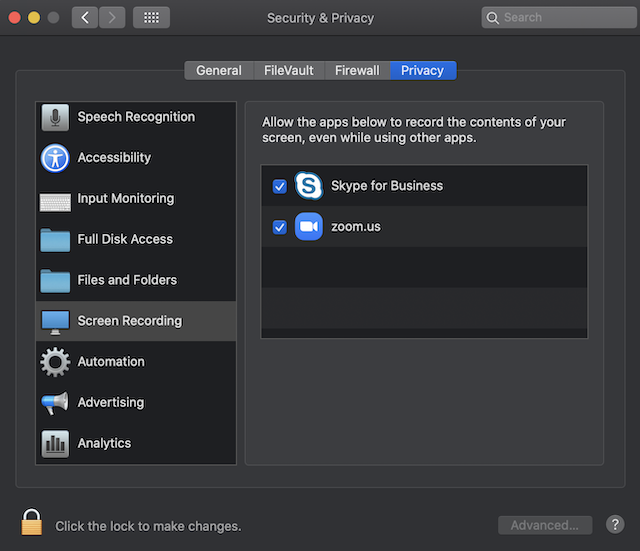
For more information, see https://support.zoom.us/hc/en-us/articles/360016688031
If you wish to create polls for your audience to respond to during your talk, you can access this option through the “Manage” button on your session’s page.